Binance Auto-Subscribe: what time it runs and why idle Spot BNB misses HODLer snapshots
Auto-Subscribe runs in two batches a day, at 02:00 and 16:00 UTC. Until the next batch, BNB in Spot scores zero for HODLer and Launchpool, and [Activate Now] switches the sweep on for every coin you hold.
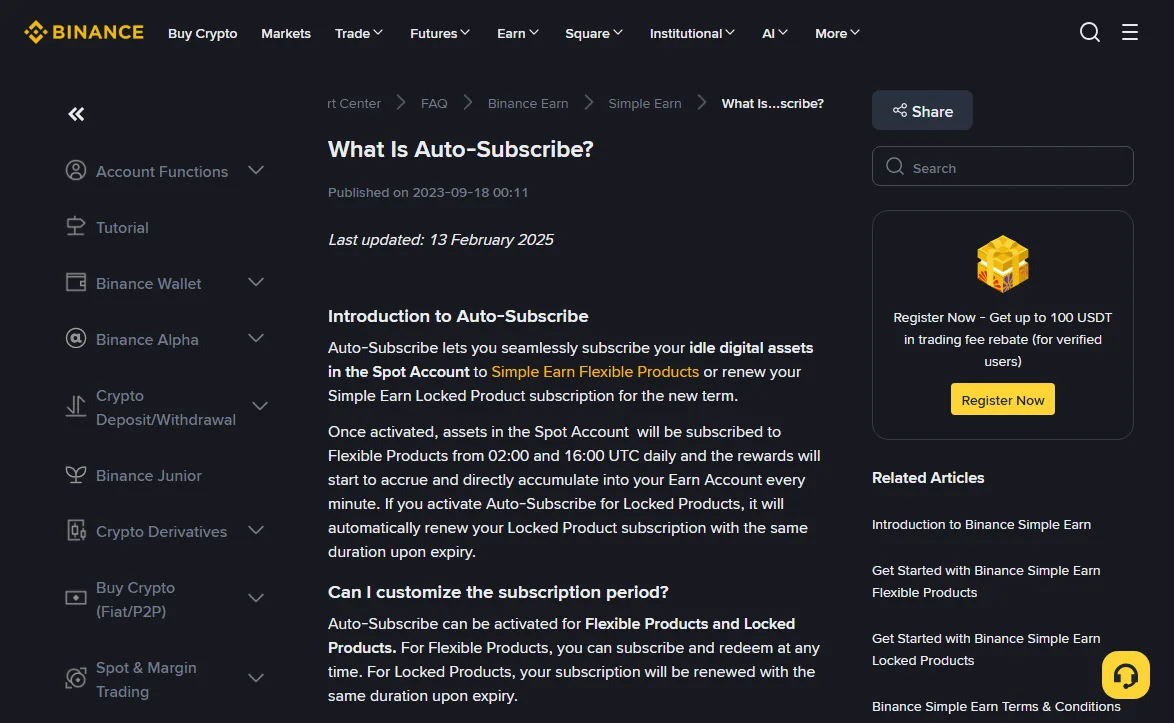
Binance Auto-Subscribe sweeps idle balances from your Spot Account into Simple Earn Flexible Products at two fixed times a day: 02:00 and 16:00 UTC. For BNB that matters more than the yield. Only BNB that has actually reached the Flexible product counts toward HODLer Airdrops and is entered into Launchpool; while it sits in Spot waiting for the next sweep, both lines treat it as zero.
So the feature fixes one narrow problem: BNB lands in Spot after a deposit, a purchase or a transfer, and you forget to subscribe it. It does not tell you when a snapshot window opens, and it does not touch BNB in your Funding Account. Below, each point is checked against two pages in the Binance Support Center: Introduction to Auto-Subscribe (last updated 13 February 2025) and Get Started with Binance Simple Earn Flexible Products (updated 29 September 2026).
What time does Binance Auto-Subscribe run?
The Flexible Products guide puts it plainly: once Auto-Subscribe is on for an eligible Flexible Product, any balance of that token in your Spot Account is transferred into the corresponding product daily at 02:00 and 16:00 (UTC). It is the whole Spot balance of that token, not a share of it.
That leaves two gaps of uneven length: 14 hours from 02:00 to 16:00, and 10 hours from 16:00 to 02:00 the next day. A manual subscription, by contrast, is processed immediately according to the same guide. That is the real difference between the two: one is instant, the other waits for a batch.
The hours your BNB waits in Spot do not count for HODLer snapshots
HODLer Airdrops measure your average hourly BNB position during the subscription period, using several random snapshots each hour. While BNB waits in Spot, those snapshots record nothing. Launchpool works the same way: the guide says that when eligible users subscribe to BNB Flexible Products, that BNB is automatically entered into Launchpool projects. Not subscribed yet, not entered.
How long the wait can be depends only on when the BNB arrives:
| BNB reaches your Spot Account (UTC) | Swept into Flexible at | Longest possible wait |
|---|---|---|
| After 02:00, before 16:00 | 16:00 the same day | Just under 14 hours |
| After 16:00, before 02:00 | 02:00 the next morning | Just under 10 hours |
Take a real window. The HODLer subscription period for round 53, Yield Basis (YB), ran from 2025-10-09 00:00 to 2025-10-11 23:59 UTC: 72 hours. Suppose your BNB hit Spot at 02:20 UTC on 10 October, twenty minutes after a sweep. It would sit there until 16:00, which is 13 hours 40 minutes off the clock, close to a fifth of the window. Had it arrived at 01:50, you would have lost ten minutes.
HODLer windows are often announced only after they have started or even ended (the reason is covered in How to read a Binance HODLer Airdrops announcement). The risk to manage is therefore not one particular round. It is BNB habitually idling in Spot for half a day.
Subscribe the BNB by hand as soon as it arrives: Earn, BNB, Flexible, Subscribe. Auto-Subscribe is better treated as a safety net for the days you forget.
Clicking [Activate Now] switches it on for every coin
Easy to miss: both the web and the app instructions say that upon activation, Auto-Subscribe is enabled for all digital assets. If you only meant to automate BNB, your USDT, FDUSD and anything else sitting in Spot will also be swept into their own Flexible products at the next batch.
To limit it to BNB, the official steps are:
- On the website, hover over [Assets], choose [Earn], then click [Auto-Subscribe] under the [Simple Earn] tab. In the app: [Assets] → [Earn] → [Activate] → [Auto-Subscribe]. Tick the terms and click [Activate Now].
- Open [Auto-Subscribe] → [Auto-Subscribe Setting] and switch off the [Manage All Coins] toggle at the top.
- Switch on the toggle next to BNB only. Tokens you already hold in Flexible Products appear under [My Assets]; everything else is under [Other Tokens], so look there if you have never subscribed BNB before.
There is a shorter route that avoids the all-coins switch entirely: open the BNB Flexible subscription window, tick the Auto-Subscribe box, read the Auto-Subscribe Notice and click [I Understand]. That enables it for BNB alone.
BNB in your Funding Account is not swept
Both pages describe Auto-Subscribe in terms of the Spot Account only. The manual subscription section, by comparison, says assets move from your Spot or Funding Account. Read literally, BNB in Funding is outside Auto-Subscribe. Binance does not add a separate sentence confirming this; it is an inference from the wording, and a cheap one to test: check whether the Funding balance is still there after the next 02:00 or 16:00 batch.
It matters because P2P purchases and internal transfers from other users often land in Funding first. Either subscribe straight from Funding, or transfer to Spot and wait for the sweep. Which wallet a given credit shows up in is mapped out in Binance airdrop says distributed but not in your wallet?
Three things that pull Flexible BNB back out of eligibility
Auto-Subscribe only puts BNB in. Once it is there, these three actions can make part of it stop counting for Launchpool and HODLer Airdrops, and none of them triggers a warning.
Placing a Spot order with Flexible funds. Recent app versions let Spot orders draw on Simple Earn Flexible balances. The guide states that when BNB from Flexible Products is used this way, that BNB is redeemed and is no longer eligible for Launchpool or HODLer Airdrop rewards. Funds are taken in the order Spot, Funding, then Flexible, so it only reaches your Flexible BNB once the first two run short. When it does, it is a redemption.
Pledging it for a Flexible Loan. Flexible assets used as loan collateral keep earning Real-Time APR and Bonus Tiered APR, but not Launchpool rewards or airdrops.
Choosing [Deactivate and Redeem] when you switch it off. Under [Auto-Subscribe Setting] you get two buttons. [Deactivate] stops future sweeps and leaves current Flexible holdings alone; [Deactivate and Redeem] also sends the remaining balance back to Spot. If you want BNB to stay eligible, pick the first.
Some positions never qualify in the first place, such as BNB locked in an open limit order or still in transit on-chain. The full list is in HODLer snapshots: which balances count and which don't.
Does BNB fee deduction still work once Spot BNB is swept?
Neither page answers this. Auto-Subscribe moves the entire Spot BNB balance, and the BNB fee discount normally draws on Spot BNB. Whether fees can then be paid from Flexible BNB, or whether the discount quietly stops, is not documented in either guide.
You can check it on your own account: after a sweep has emptied Spot BNB, place a small Spot trade and look at the fee column for that fill in your order history. If the fee was charged in something other than BNB, the discount is not reaching into Flexible. Keeping both the discount and full snapshot eligibility then means leaving a small BNB float in Spot and accepting that this float does not count.
Should you turn it on for BNB?
It comes down to whether your BNB ever sits in Spot.
If your BNB has been parked in Flexible or Locked Products for months, the switch changes very little. If you deposit, trade, or pay fees in BNB often enough that fresh balances keep appearing in Spot, it is worth having, set for BNB only, so the worst case is a wait of a few hours rather than however long it takes you to notice. Whether to sweep stablecoins and other tokens too is a question about yield and liquidity, not about airdrop eligibility.
Which lines accept Flexible, Locked and Launchpool-staked BNB is laid out in Where to keep your BNB. If you are unsure about a specific position, walk through the snapshot eligibility check.