Binance airdrop says distributed but not in your wallet? Where to check
The notice says distribution is done, but the token is not in your Spot balance. Before concluding nothing was paid, read the record: the Airdrop Portal's [Distribution] page names the wallet that was credited, which may not be the one you are looking at. Then open that wallet.
Check the records before you check the balances. Binance keeps two of them for airdrops: the [My Airdrop] view for each project on the Airdrop Portal, and the distribution history on your assets page. The first, once you click through to [Distribution], tells you the token, the time, the amount and which wallet it was credited to. The second lists every token pushed into your account, in date order.
If the record is there, the tokens are somewhere in your account, possibly in a different wallet from the one you are looking at. Alpha tokens go to the Alpha account. Rewards earned on a sub-account's BNB land on that sub-account. If there is no record at all, you are not looking at a missing deposit but at an allocation that never happened, and the question becomes one of eligibility.
Where did my Binance airdrop go? The [Distribution] page names the wallet
Binance's help article "What Is Binance Airdrop Portal and How to Use It" lays the route out in three steps:
- Log in and open the Airdrop Portal. Above the list there is a status drop-down and a checkbox, [Show projects I received airdrops]. Tick it and the list shrinks to the projects that actually paid you.
- Find the project and click [My Airdrop] in the [Operation] column. The pop-up shows your reward history: snapshot time and result, the amount you received, the airdrop period and its status.
- Click [Details] under [Airdrop Amount] to open [Distribution]. That page lists the airdropped token, distribution time, amount, and the wallet it was credited to.
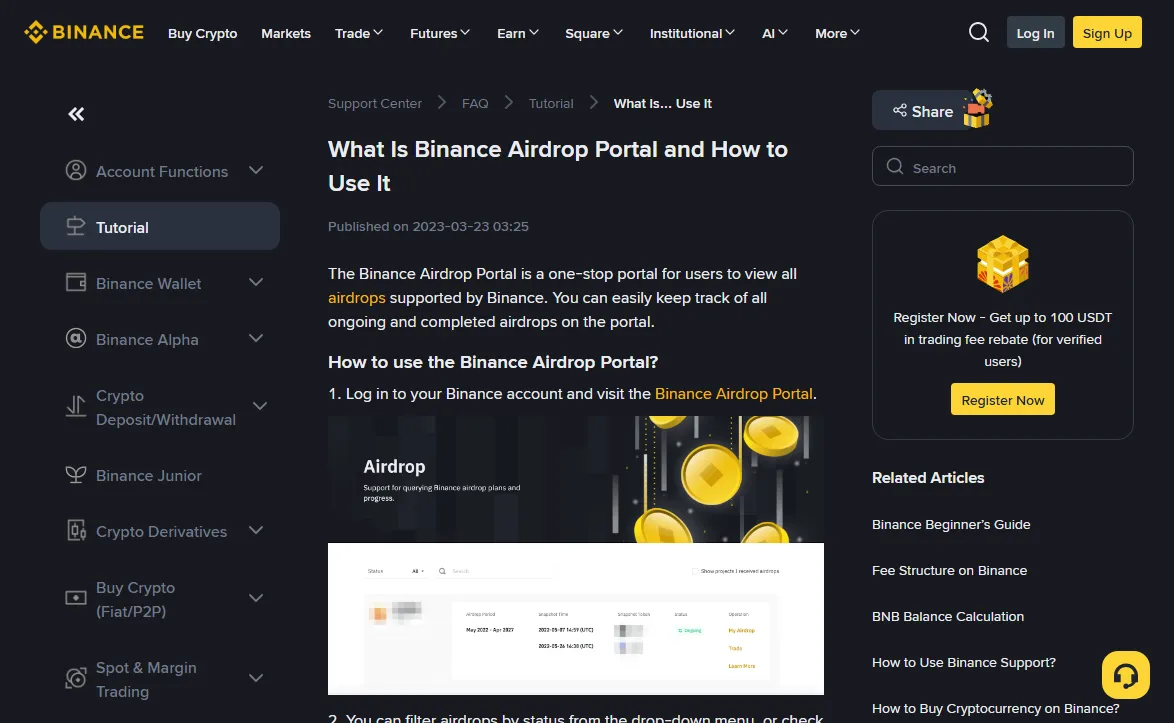
The column that matters is the last one, the credited wallet. It settles "where did it go" without guessing between Spot and Funding. Open that wallet and search for the token.
Do not skip the snapshot result in the pop-up either. The same article says that if you are eligible, [My Airdrop] shows your snapshot details, so that one cell already tells you whether the system counted you at all.
The article does not say which kinds of campaigns the portal covers. If a project simply is not listed there, that is not proof nothing was paid. Move on to the distribution history.
Not on the portal: find the Distribution tab in your history
Distribution history is kept per account. Binance notices and help pages all send you there to confirm receipt, though they describe the route a little differently:
- the renewal notices for the USD1 airdrop campaign (titled "Extension to the USD1 Airdrop Campaign", most recently dated 2026-10-02) say the payout "can be viewed in your distribution history";
- a September 2026 Earn airdrop notice ("Subscribe to PLUME Flexible Savings and enjoy a 70 BNB exclusive airdrop reward", running 2026-09-23 to 2026-10-23) says it can be confirmed in your Spot account history;
- the Binance Megadrop help page puts it in one line: Megadrop rewards are viewed in your Binance Spot account.
Menu names move between app versions. If you cannot see "Distribution", look through the tabs on the history screen for that word.
The March 2026 notice on NIGHT rewards from Super Earn ("Notice on the Distribution of NIGHT Rewards for Binance Super Earn", published 2026-03-24) adds one line that helps when you are reading records: rewards start going out on a given date, and "the whole process may take several days". The start date in an announcement is not the day everyone gets paid. Nor is the same token appearing on two lines necessarily a double credit — some campaigns split the reward across two pools or two stages, so go back to the notice and check how it was divided.
Launchpool, HODLer, Megadrop, Alpha: which wallet each pays into
The record tells you the wallet. This works the other way round: if you know which campaign paid you, you know where to look first.
| Campaign | Tokens land in | Second place to check |
|---|---|---|
| Launchpool | Spot | Launchpool history (staking and claim records) |
| HODLer Airdrops | Spot | Distribution history; timing is in each notice |
| Megadrop | Spot | The reward distribution time on the project page |
| Alpha airdrops / TGE | Alpha account (confirm in the round's notice) | App: Assets > Binance Alpha |
Launchpool. Binance's Launchpool getting-started guide says unclaimed airdrop tokens, together with your locked tokens, move to Spot automatically within 90 minutes of the lock period ending. Mid-pool, if you never pressed the claim button, Spot simply has nothing yet. Whether that button matters at all is covered in do you have to claim.
HODLer Airdrops. Paid into Spot, no action needed. The timing changes from round to round; how to read it off the notice is in reading a HODLer notice.
Megadrop. The Megadrop introduction says rewards go to your Spot account during the distribution period shown on the project page, and tells you to check them there. That page lists the reward distribution time and the listing time on separate lines. Search Spot on the first date, not the second.
Alpha airdrops and TGEs. These are Binance Alpha tokens, so the place to look is the Alpha account, not your Spot list. Binance's Alpha Points FAQ says Alpha Points are what determine your eligibility for token generation events (TGEs) and Alpha token airdrops. Why the token is not in Spot is explained in the FAQ on transferring from Binance Wallet to a Binance Alpha account: the Alpha account has no deposit address of its own and does not support direct deposits, so assets go into Binance Wallet first and are then moved into the Alpha account, and only tokens listed on Binance Alpha are supported. Neither page spells out the credited wallet for every round, so if the Alpha account shows nothing either, check what that round's notice says about where the tokens are sent. In the app, open Assets and then Binance Alpha.
Binance's FAQ on moving funds from Binance Wallet to the Alpha account is blunt about this: Spot deposit addresses do not support Alpha tokens, and any sent there will be lost. The Alpha account has no deposit address of its own either, so direct deposits from outside are lost too. If you want the tokens somewhere more visible, see what the Alpha trading screen lets you do with them instead of pasting in an address.
BNB held on a sub-account: the reward lands on the sub-account
Looking only at the main account is the other way to miss tokens that were paid. A sub-account's BNB counts for Launchpool and HODLer, as the sub-account article shows from the source text. Where the reward is paid depends on the announcement, and the September 2026 renewal notice for the USD1 airdrop campaign says it outright: rewards are distributed to the corresponding sub-account's Spot account.
So the reward follows the money. Switch into the sub-account that held the balance and open its distribution history there.
The amount in the record is smaller than expected
Found the record but the figure looks low? Before assuming a fault, check whether the rules produced it:
- Launchpool drops tiny hourly amounts. The Launchpool guide's FAQ says that if an hour's calculated reward is below 0.01, it may not be distributed for that hour. The smaller the stake, the more hours fall under that line.
- HODLer has a per-user cap. HODLer notices set a cap on any single user's share of the pooled BNB. Anything above it is ignored; the exact figure is in that round's notice.
- Some campaigns round down. The USD1 notice above, for example, rounds rewards down to two decimal places, so the record can sit slightly below your own calculation.
To redo the maths, put the pool total and your stake into the pool share estimator. If the gap is against someone else on the same campaign, look at time as well as amount: HODLer and Launchpool both average your balance hour by hour, so a later start or a redemption partway through leaves you with a smaller share even when today's balance matches theirs. If nothing arrived at all, go through nine reasons people miss an airdrop instead.
No record at all, or a record but no tokens
These need different handling.
Nothing on the portal, nothing in distribution history. First check whether the distribution period in the notice is over; payouts can take days. If it is over and still nothing, check eligibility next: whether the BNB was in a qualifying product at the snapshot, whether it was pledged as loan collateral, whether your region was on the excluded list. Running through the snapshot eligibility check will tell you more than refreshing the assets page.
A record exists, but the named wallet is empty. Rule out your own activity first: a sale, a transfer or an Earn subscription will show in your order and transfer history. If none of those explain it, note down the token, distribution time, amount and credited wallet from the [Distribution] page and raise it through the official support channel in the app. The portal article itself points users with eligibility questions to customer support.
This is exactly where scammers step in. Nobody who messages you first offering to "re-send a missed airdrop" is Binance support. Checking a distribution record never needs your password, a verification code, or a "test" transfer to some address. The common scripts are in fake airdrops and fake support staff.
Sources: the viewing routes and payout rules here come from Binance's public help pages — the Airdrop Portal guide, the Launchpool starter guide, the Megadrop help page and the Alpha Points FAQ — plus the HODLer Airdrops launch announcement, all checked October 2026. The USD1, PLUME Flexible Savings and NIGHT notices are quoted by their titles and dates above; searching those exact titles in Binance's announcement centre brings up the original wording. Credited wallets and payout timing change from round to round: go by the current notice.