When verification will not go through
"It failed again" is not one problem. It is at least five, they have different causes, and four of the five get worse if your response is to submit the same thing a fourth time. Find out which one you have first — the diagnosis takes a minute and saves a week.
Why launches insist on verification
Every one of the four launch lines is a distribution of value to identified people. Launchpool hands out tokens by stake share. HODLer airdrops distribute to holders sampled at snapshot. Megadrop and Alpha events gate entry behind quests and points. In each case the platform has to be able to say who received what, in a form that satisfies its regulators, and and one person operating forty accounts would defeat the entire arrangement.
That is the practical reason the gate exists where it does. You can browse without verifying. You cannot receive without verifying. Nobody at the exchange is going to make an exception for a good story, and the front-line agents you reach in chat could not do so even if they wanted to.
Which means the goal here is not to argue with the requirement. It is to get through it with the smallest number of attempts, because each rejected attempt costs you time and, past a certain count, triggers a cooling-off period that costs you considerably more.
Have these ready before you open the form
Half of all failed attempts are failures of preparation rather than of the check itself. The form is a timed flow in places, and hunting through a drawer mid-session is how people end up submitting a blurry photograph they knew was blurry.
- The physical document, in date, in your own name, of a type your country's selector actually lists.
- A clear surface with daylight on it. A table by a window in the morning beats any amount of retrying at midnight.
- A phone with a working front camera and enough battery to survive a session that may take longer than you expect.
- Your address exactly as it is printed on whatever you might later use as proof, so the two versions match from the start.
- Access to the account's email inbox on the same device, because a code or a follow-up request will land there.
- Twenty uninterrupted minutes. Not five between meetings.
There is one more item that is less obvious. Decide, before you begin, which name you are going to use everywhere — on the account, on the document, on the proof of address, and on the bank account you will eventually withdraw to. People with a legal name and a used name, or a maiden and a married name, create most of their own difficulty by mixing the two across those four places. Pick the one on the document and stay with it.
Prepared properly, the whole thing is a ten-minute job that passes on the first attempt. Improvised, it becomes a week-long correspondence. The difference between those two outcomes is almost entirely decided before you click begin.
The document step
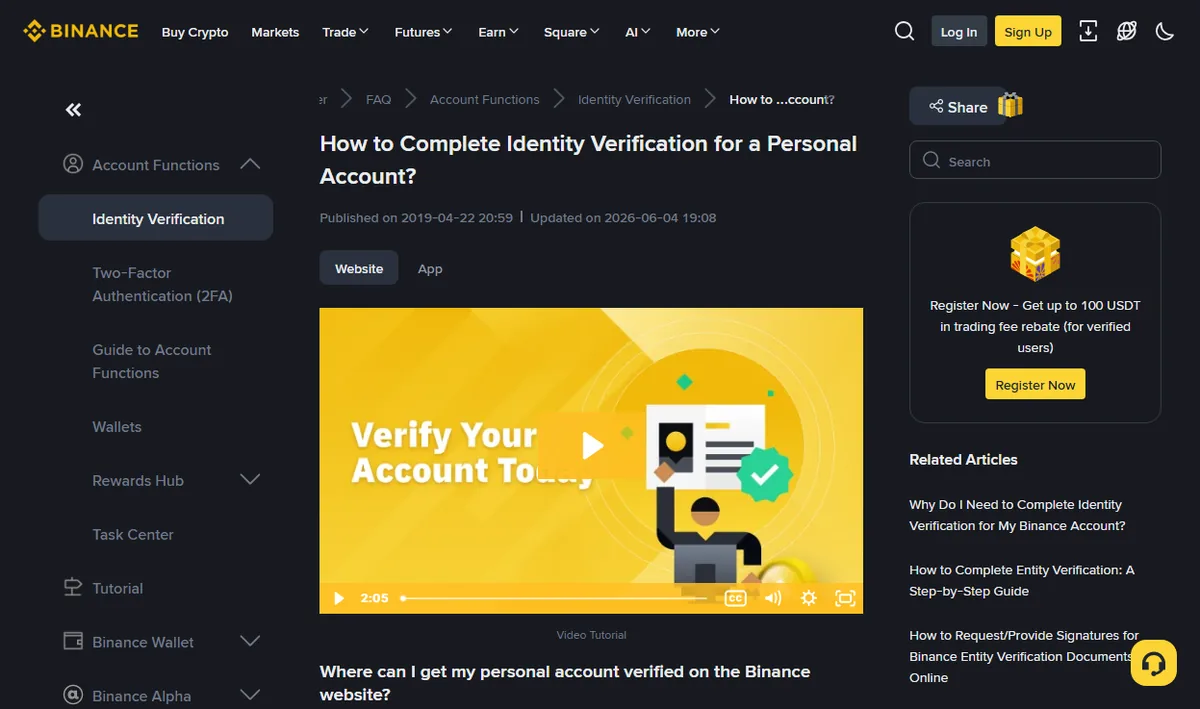
Most failures at this stage are photographic rather than substantive. The automated reader wants four corners visible, no glare across the machine-readable strip, and text sharp enough to parse.
- Photograph the physical document, not a scan, not a photocopy, and never a picture of a screen showing the document. The last one is refused categorically.
- Flat surface, indirect daylight. Overhead room lighting produces a bright band across laminate that hides exactly the line the reader needs.
- All four corners inside the frame, with a little margin. Cropping tight to the edge is read as a cropped document.
- Check the expiry date before you start. An expired passport fails and it is not a bug.
- Use a document type the country selector offers. If your residence country's list has no entry for the card you are holding, that card will not be accepted however clear the photograph is.
One more, which trips up people with long names or names in more than one script: the details you typed must match the document exactly. Not approximately, not in a sensible reordering — exactly, including middle names, hyphens, and the order the document prints them in. A mismatch here reads as an inconsistency, and inconsistencies are what the check is for.
The liveness check keeps rejecting me
The camera step fails for environmental reasons far more often than for identity reasons. Before assuming the system dislikes your face, work through the boring list.
Light from in front, not behind: a window at your back turns you into a silhouette and the system cannot find features. Remove glasses, particularly anything tinted or reflective. Hats and hoods off, hair away from the face. Hold the phone at eye level and steady, at arm's length rather than close, and move at the speed the prompt suggests rather than as fast as you can.
If it has failed several times in a row, stop for a few hours rather than continuing. Repeated attempts inside a short window are treated as suspicious in their own right, and some accounts pick up a temporary block that has nothing to do with whether your face matched. Trying again the next morning in a different room, on a different network, resolves a surprising share of these.
A pattern we see often enough to name: people attempt the liveness check in the evening, in a dim room, on a phone with an ageing front camera, then repeat it eight times as it fails. The same person passes first time at eleven the following morning by a window. The system was never rejecting them.
Nothing counts as proof of address
Not every account is asked for this, and being asked is usually a function of jurisdiction or of a higher tier being requested. When it is asked, the requirements are narrower than people expect: a document issued by a third party, showing your name and your address as you entered it, dated inside the last three months.
What generally works: a utility bill, a bank or card statement, a tax or municipal notice, a residence certificate. What generally does not: anything you generated yourself, a screenshot of an app, a delivery confirmation, a document in a name that differs from the account by even a middle initial, or a statement where you have blacked out the address because it felt private.
The most common fixable failure here is a mismatch between the address on paper and the address in the form. Copy it from the document into the form, not from memory. "Flat 4, 12 Green Lane" and "12 Green Lane, Apt 4" are the same place to you and two different strings to the reviewer.
If you genuinely have nothing in your own name (a common situation for people living with family or in shared accommodation) a bank statement remains the most attainable option, because banks will issue one on request and it arrives in your name by definition. A statement downloaded as a PDF from online banking is normally acceptable; a screenshot of the same statement often is not, because the header, the issuing date and the institution's details are the parts that make it evidence, and screenshots tend to cut exactly those off.
Two smaller points that resolve a fair number of these. First, the three-month window is counted from the document's issue date, not from when you downloaded it, so a statement covering March is stale in August regardless of when you saved it. Second, submit the whole page, both sides if the address is printed on the back. Reviewers are checking a document, and half a document is not one.
Stuck in review
A submission that sits at "under review" has left the automated path and joined a human queue. This is not a failure state and it is not something you can accelerate.
The instinct is to cancel and resubmit. Resist it. In most queues a resubmission is treated as a new item at the back, so the effect of impatience is a longer wait, not a shorter one. The second instinct is to open a support ticket, which is reasonable once (after a genuine wait) and counterproductive as a daily habit.
What is worth doing while you wait: check the email address on the account, including its spam folder, because reviewers sometimes ask for one additional document and that request will look like an ordinary notification. A request you do not answer for four days is four days added to the queue for reasons entirely within your control.
When you do open a ticket, one message containing everything is worth more than six containing fragments. Say when you submitted, what state the account is showing, what you have already tried, and what you are asking for. Do not attach photographs of your documents to a chat window: the review system already has them, and a second copy floating around a support thread is a risk you took on for nothing. Then leave the ticket alone. Adding "any update?" every few hours moves you down some queues rather than up them, and agents cannot escalate a review that has not yet aged into escalation territory.
How long is too long
| State | Normal range | When to act |
|---|---|---|
| Automated pass | Minutes | If over an hour, refresh and check email |
| Manual review | One to three days | Contact support after three full days |
| Additional documents requested | Depends on you | Reply the same day |
| Rejected without a stated reason | Immediate | Change one variable, then retry once |
| Temporarily blocked from retrying | Hours to days | Wait it out; further attempts extend it |
These ranges are observed rather than published, and they move with volume: during a heavily promoted campaign the queue is longer for everyone. Treat the middle column as a rough expectation and the right-hand column as the useful part.
I entered something wrong
Details submitted during verification are not freely editable afterwards, which is exactly what you would want from an identity system and exactly what makes a typo annoying. If the submission has not yet been reviewed, cancelling and starting over is usually possible. If it has been approved with a wrong date of birth or a misspelled surname, the correction runs through support and requires evidence.
Get it right the first time by reading the fields off the document itself while you type. The three that account for most corrections are date format (day-month versus month-day), the name order on documents that print family name first, and a middle name that exists on the passport but that you never use.
Verification tiers and eligibility
Platforms typically operate more than one level of verification, with higher levels unlocking higher limits. The distinction matters less for launches than people assume: what the launch lines require is that you are verified at all, not that you have reached the top tier.
Where tiers do bite is on the money side: deposit ceilings, withdrawal ceilings, and access to fiat rails. Someone planning to move a meaningful sum in for a Launchpool round should check their withdrawal limit before the round, not after it, because discovering a ceiling on the day you want your funds out is a specific and avoidable frustration.
The published limits differ by country and change; read them in your own account rather than trusting any third-party summary, this one included.
There is also a quieter reason to complete a higher tier than you strictly need. Accounts sitting at the minimum level tend to attract additional checks when unusual activity appears: a first large deposit, a withdrawal to a new address, a login from a country you have not used before. None of those are wrongdoing, and all of them are exactly what taking part in a launch looks like from the outside. An account that has already satisfied the deeper checks passes through those moments with less friction, and the moments in question are precisely the ones with a deadline attached.
Verified, and still shut out
Verification is necessary and not sufficient, and this last category is the one that produces the most confused messages. Four things can be true of a fully verified account that still cannot join a line:
- The product is unavailable in your jurisdiction. No Simple Earn means no HODLer airdrops. This is not a settings problem; see regional restrictions.
- A required wallet does not exist yet. Megadrop needs a Web3 wallet created and backed up; the quests alone do not qualify you.
- The holdings are in the wrong place. BNB in your spot balance does not count for a HODLer snapshot; it has to be in an eligible Earn product, and collateral-locked balances are excluded.
- You were verified after the snapshot. Windows close. Being eligible today does nothing for a distribution measured last week.
If you are in one of those four, no amount of resubmitting documents will help, because documents were never the obstacle. The diagnostic question worth asking before you spend another evening on this: am I failing a check, or am I passing every check and still not meeting a rule? Those two situations look identical from the outside and have nothing in common underneath. The snapshot eligibility check is built for the second one.
Verification steps, tiers and timings vary by jurisdiction and are changed by the platform without notice. Everything above is a description of common cases as of August 2026, not a specification — what your own account shows you is what applies.